
How do I change my Payment Speed in Stripe?
Edited
This document provides a step-by-step guide on how to update your payment information on the Steady Install Dashboard. Follow the instructions below to ensure your payment preferences are set correctly.
Step-by-Step Instructions
1. Log in to Your Dashboard
Begin by logging into your Steady Install Dashboard. You can access it at the following link: Steady Install Dashboard.
2. Navigate to Payment Information
Once you are logged in, locate and select the "Payment Info" option at the top of the page.

3. Update Payment Speed
On the Payment Info page, scroll down to the bottom. You will find a section labeled "Payment Speed." Click on the dropdown menu to select your preferred payment type.
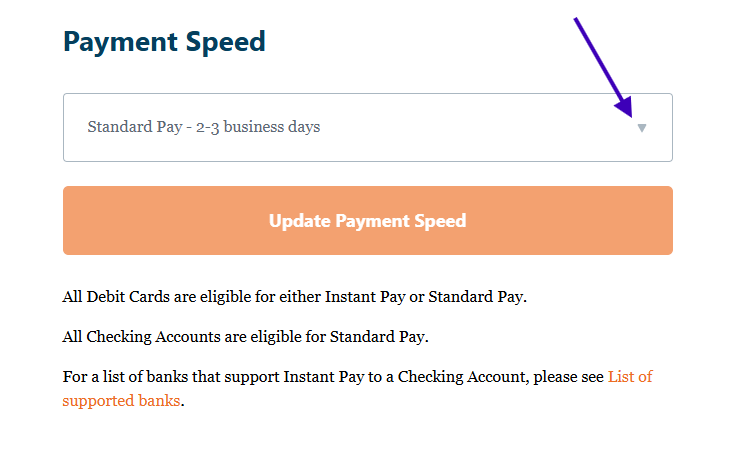
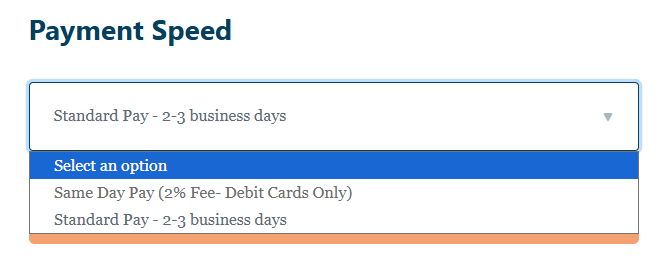
4. Click the "Update Payment Speed" Button
Follow these steps to update your payment information. For any issues, please contact our Support Team.